Digital Activism


Digital activism is a form of activism that uses the internet and digital medias to spread the word and bring about social or political change. These digital tools can include the internet, cell phones, social media outlets like Twitter and or Facebook.  With the use of technology, people can share and express their opinion on different matters, share information, and call people to action all across the globe.

According to the article, The 6 Activist Functions of Digital Tech, there are six points that digital technology can do for activist. This in-depth article outlined these points that included: share public opinion, plan an action, protest activists, share a call to action, take action digitally, and transfer resources. Share public opinion is described as sharing a belief that change is possible and this could shared through social media. Plan an action is where sooner or later, people will hear and see the dissatisfaction and decided that there is change that needs to come about and start the planning process. Point three was protect activists, this is where there a person’s anonymity is protected. Share a call to action was described as getting the word out through mass broadcast. There was an example in the article, how people forward messages to their own social networks and how quickly the word got out to stand for a change. Point number five was to take action digitally, was described as signing e-petitions, donating on-line, or emailing your Congressman. Finally, the sixth point is the transfer resources, specifically money.

Prior to our readings, I didn’t realize what an influence that teens were making in the world. Sure, I knew of a few, but I didn’t realize the impact that they were making by changing the world. I found the website, Teen Activism to be filled with such inspiration as it showcased several teens and described their platforms and what changes that they are working towards. Each teen had an amazing story, and I enjoyed reading how they are trying to reach other teens through Twitter for example. I think that this is a good way for others to reach teenagers. If you think about it, most teens today are on their phone, if they have access to a positive message or they are able to reach out to someone who can help them, it could prevent many things.

This was an interesting module of materials to read and research. I am more informed on the impact that digital activism has made on our youth and our world. This has made me more aware of the issues that are world is facing and step forward and let my opinions be expressed and heard.
Digital Citizenship

For our blog post this week in Digital Literacy, our assignment was to explore the vast world of digital citizenship. There is a wealth of information available to read and learn from. I found several articles and YouTube videos most helpful in understanding the digital world and how I can better prepare my future students.

To start off, I wanted to get a better understanding of what is digital citizenship is.  I watched this YouTube video called, “What is Digital Citizenship” and found it gave a great explanation! During this video, they it explained digital citizenship as just like we take our kids to drivers ed, we need to prepare our students for the information superhighway. In addition, it was pointed out that the internet does provide great opportunities for us all, like collaboration, connection and learning. However, on the other hand, there are some negatives, like identity theft, cyber bulling and predators. The main concern for us all is ethics, and to think about our moral choices and principals that help us make decisions.  It is important to teach our students and prepare them for the digital world.

The second piece of information that I found helpful was a blog post from Katherine Sokolowski, Living Our Lives Online.  This was a powerful post and I enjoyed reading her thoughts coming from a teachers and parents point of view on living our lives online. She shared her experiences from as a parent, like that one of her sons has a phone and the other doesn’t yet. She stated that they have rules and that it is okay for at any moment, she can check to see what her son has going on his phone. I love these ideas, especially for my own children!  The second point that I found inspiring where her thoughts from a teachers point of view. She shared how she has spent time at the beginning of the year teaching her students about what is acceptable and what is not. She describe how she tossed the idea about which  social networks to join and if she should allow students on as friends. I love that she see this as an opportunity to be a positive role model for both her students and her children. She is cautious about the things that she posts and it is her hope that students will see and remember give a second think about how and what they are posting online.

The greatest takeaway from all this information is that digital citizenship is a way that we prepare our students and children to use technology appropriately. In addition, we need to be careful with what we post and share and to remember the purpose of our comments. Likewise, being an educator, we will have students watching our comments and posts and need to be positive role models.

Children and Technology

As a parent of two young daughters, technology is on my mind like most parents. As I see it, technology and children can have its benefits, and then on the other hand, can also be scary. This next packet of reading information for the A Assignments for my Digital Literacy class was filled with articles that explained the pros and cons of young children and technology. I was eager to read, explore and learn more to help my family and my future students.

So, what is the impact of technology on our children. I was stunned to read that according to the article by Cris Rowan, “The Impact of Technology on the Development Child, he stated that “A 2010 Kaiser Foundation study showed that elementary aged children use on average 7.5 hours per day of entertainment technology, 75 percent of these children have TV’s in their bedrooms, and 50 percent of North American homes have the TV on all day.” That is a lot of technology time in front of a screen. Very rarely do we see kids playing outside and using their imagination. It was interesting to read the impact that this has had on our youth. As a result, there has been an increase of physical psychological and behavior disorders, child obesity and diabetes are now national epidemics, and numerous developmental delays and depression and sleep disorders are all associated with technology overuse. What is even more scary is that these are increasing at an alarming rate.

On the flipped side, there has to be some positives to all of this technology, right? Yes, I do believe so. According to the article, “Growing Up in a Digital Age” by Sophie Aziakou gave the examples of several teens and shared their blog links and stories that I felt encouraged by. One teen was Ivan, who stated, “Online, my wheelchair is invisible.”  Another was Emmanuella who is from Benin stated, “I have been in numerous situations where the lack of the internet access was a serious problem.” Each of these young teens had amazing stories to share. Take Ivan, who shared that online he is just a kid like everyone else and his disability is not front and center. Here technology has helped him in his learning but also gave him the freedom to express and interact with other peers. Likewise, another positive was Emmanuella, who was in a  disadvantaged situation it gave her a way to connect to the world and provided a ray of hope for a better future. Stories like these, help me to believe that there is good from technology.

So to all of this, I think that there need to be balance. I was encouraged to read from the Parents magazine, entitled, “Is Technology Good For Little Kids?” by Sarah Kehoe. In this article, she stated some guidelines that I think are great takeaways from this. The first guideline was unplug yourself. I think it is right, as parent and educators we need to set the example for our children both at home and in the classroom. Second, fire the electronic babysitter.  Third, develop health media habits early, it was stated that toddlers and preschoolers should only be allowed 20 to 30 minutes of screen time daily. Fourth, teach how technology can aid learning. This means that we need to show our students and children how to use Google, but also teach them critical thinking skills. Finally, be skeptical and always check for recommendations from a trusted source and I think trust your parent and teacher gut.


Midterm Reflections On Digital Literacy

WOW! I cant believe that we are already at the midterm of our sixteen week semester! It is just amazing to me how quickly time has flown since we started this course back in
August. I am so grateful for this time of reflection to review what we have discussed and learn over these first eight weeks of class.

To start off, I have learned so much these past few weeks I am not sure where to begin! For starters, I am now a blogger and a tweeter! Before this class, these social media outlets would have never crossed my mind of joining and participating in. At first, I had many reserves of using them, but with time and practice, I am learning. I look forward to reading my peers comments on their blogs and enjoy reading the interaction with Twitter on our #diglitclass feed. It’s a fun way to share what we re learning through Twitter and our blog posts.

I have also really enjoyed our Independent Learning Projects. This was another area that at the beginning of the semester I had worries of how am I going to fit all of this into my schedule. As of now, I look forward to my project time. I am working and sewing on a quilt. I am so excited about the progress that I have made with my quilt. During this time, it has allowed for me to relax and enjoy my sewing time. What other class can I say that I have to sit down and sew? Before,I would not take the time to do something for myself, in fact, I would feel guilty. Now, I realized just how important it is to take some me time. It is my hope to continue this in the coming semesters.

The modules have been jammed pack full of amazing and useful information! I have really enjoyed the Ted Talks and reading  the various articles. My favorite Ted Talk has been Logan LaPlante’s talk on, “Hack Schooling Makes me Happy.”  Logan’s approach to schooling is  refreshing and how his parents makes sure that along with his educational goals he his doing things he loves to do and trying new experiences.  My favorite article so far has been the one from this week’s module, “Slowing Down to Learn: Mindful Pauses That Can Help Students Engagement” by Patricia A Jennings. This article stated that normally teachers only pause one second to allow students to think before they give them an opportunity to answer. I was stunned and thought I have been in situations myself where the teacher only allowed a second before she asked a student to answer. In the article, it was stated that teachers should aim for three to five seconds to allow students to process the questions before they answer. I am going to make this my goal to remember to allow time for my students to think before I call on a student.

As we start the next second eights week of this semester I am looking forward to many things. Currently, I am working on my ds106 daily challenge. I am eager to continue working on these projects and learn more about technology and how I could incorporate some of these activities into my future classroom. Finally, I am also excited to add and fine tune my list of Personal Learning Network connections. I have found some really inspiring connections, and I look forward to learning and collaborating with these connections.


A Little Set Back

IMG_9618

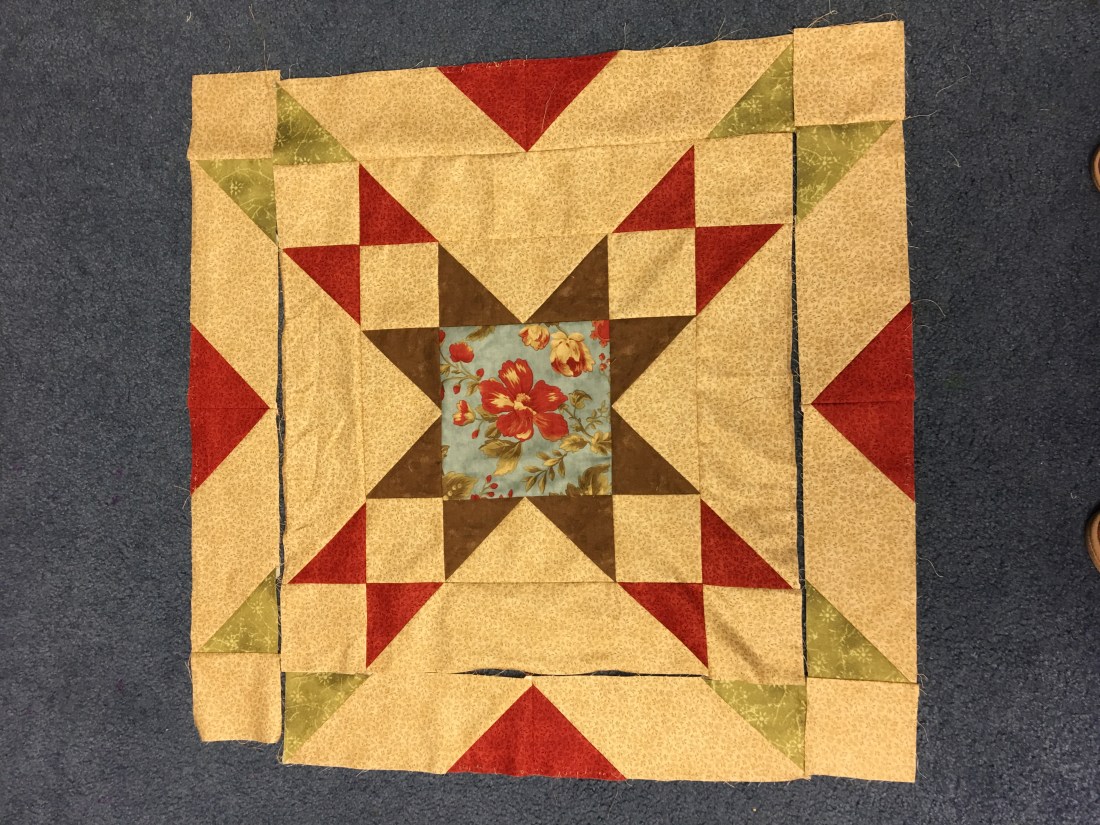
Here is my quilt as I finished up this week. It’s coming along!  Photo by me.


Hello all! I am anxious to read about everyone’s Independent Learning Projects for this week. I have to say that I missed reading blog posts about our learning projects from last week what everyone experienced from their time working on them.

This week I started off strong with my quilt. I was feeling pretty good that my sewing and blocks were coming along and I was kinda of excited how nicely my blocks, squares and triangles were all lining up.

Then….

img_9616.jpg

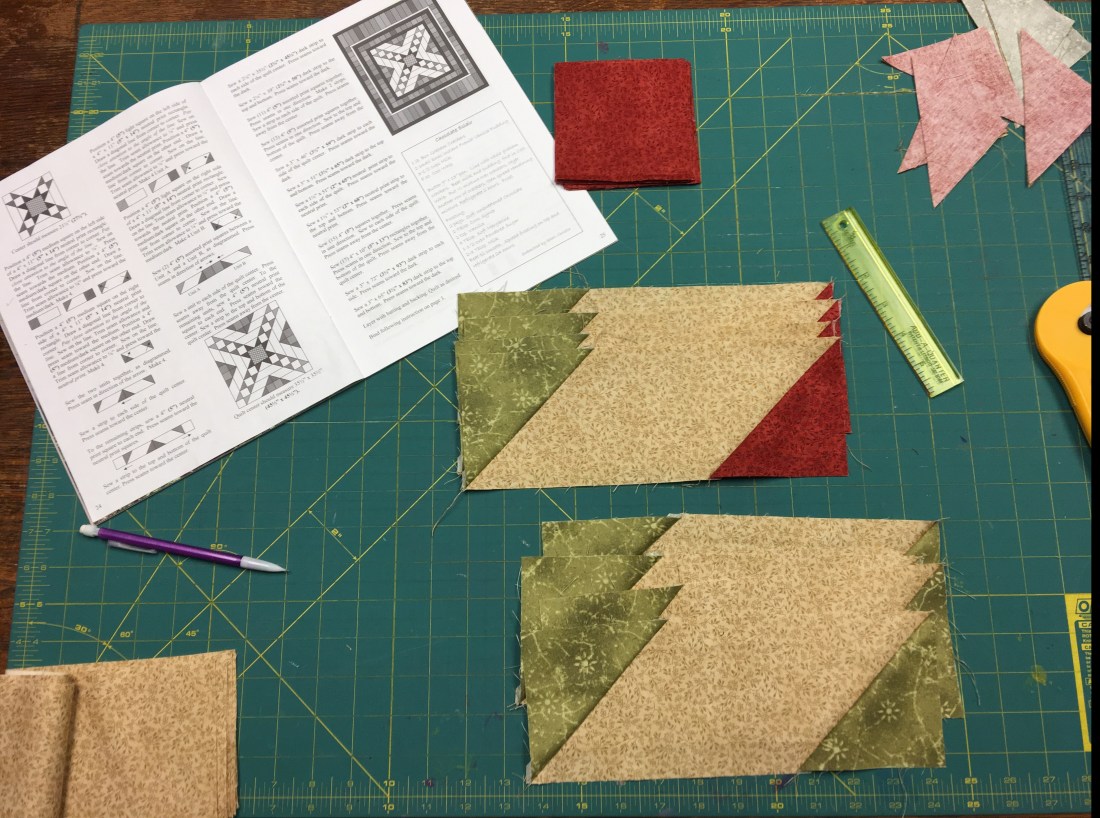
I re-read the instructions and whoops! I missed read and sewed four strips and blocks wrong. Rats!  I needed to sew a red square instead of a green square.  Thank heavens I had a little extra fabric from the beginning and  I had enough to fix my mistake! So, I cut some more fabric and learned my lesson, to really read the instructions! It’s definitely not the first, nor the last time that I make a mistake. I look at it as all part of the learning process. In fact, I am glad that it happened, it made me slow down and enjoy this learning and sewing time. So, after I fixed my mistake, I was ready to roll and keep on sewing.


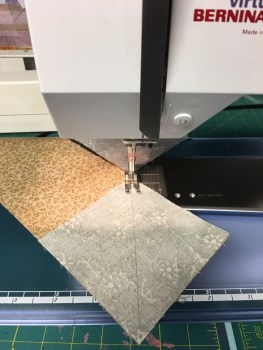
I learned a new sewing trick that I want to share called chain piecing or chain sewing. When I purchased my pattern and fabric, the quilt shop gals mentioned that this would be helpful in sewing my quilt. So, I decided to read up on it some more and found this YouTube video that explained it further.  It is really handy when you have the same strip or block to sew that you just keep sewing and not stop and take the fabric out of the machine, cut the thread from the machine, you just keep going until all your blocks are sewn, then you cut them apart. I found this to be very helpful, instead of starting and stopping in between blocks.

IMG_9617

Here is  how I sewed using the chain piecing method, I like how quick it makes sewing the blocks together! Photo by me.

I am happy with how much progress that I have made with my quilt. As you can see from the top or first photo where I am at with my quilt. I had another mistake, as I sewed the strips backwards and when I opened it up, my flying geese where flying the wrong way. Good grief! I decided that I needed to stop and take a break. I am sure that the next time I sit down to sew, it will go better.

Until next time!

Jaime

ds106 – Digital Storytelling

DS106 Set Title Image

DS106 Set Title Image  ~ Photo by Brian Metcalfe

What is ds106 and what’s awesome about it? Well, after searching and reading up on the ds106 website, I can tell you that I found some interesting things. First, ds106 is basically a digital online course on digital storytelling. Digital storytelling is a way where a person can share their own “true story”  through a short story that involves interaction.  Included in this site are multiple levels of participation, where some create an activity daily, like us, or some create these assignments here and there.

To begin, you need to set up a few things before you get rolling. These things include your gravatar, a way to identify yourself, you need a twitter account, Flickr account, and Soundcloud account. Once you have all the basics set up you can move onto the daily create challenge. From here you can pick an assignment or activity to do and share it back and interact with others on the site and the world. There are numerous activities to pick from. These activities include: visual, audio, writing, drawing and photography activities to name a few. It was nice to see the wide range of activities and the numerous examples that were available to see how certain activities were created. These activities are to help us develop our skills in technology and also get our creative juices flowing.

I must admit, I am nervous about this whole challenge. I am not very good with technology nor do I feel that I am very creative. So, I went and looked at some the posted challenges that were completed by others. One was under the design activities. Here the assignment was to play around with the print of the letters in your name.  Cool letters. net was the website for this activity. So, I put the letters in my name in the box and appeared different fonts and type of my name. I thought that was pretty neat, simple and I think that I could handle a challenge like this. The next one I looked at was called Tongue Twister. This assignment had you say a tongue twister and in the background was some music and you needed to put the two together. To be honest, this is getting out of my comfort zone, mixing sounds together, however, that is what this is all about. Trying new things to get us out of our comfort zone and try it for thirty days.

I think that this definitely will be a challenge for me, to complete these activities on a daily basis for thirty days. I am nervous yet ready for this type of challenge with technology. I think that this will be a good experience so maybe one day I will be able to create lesson plans with some of these different types of assignments. I can see older students liking the name assignment, and it would be fun to do this with your students names on a bulletin board in your classroom. You never know, I may end up liking these activities and extent on past the thirty days.

Language in the Digital Age

Emoji Cupcakes

Photo by Drago Sisters Bakery/ Emoji cupcakes

Language, is the method of communication, where  it can be either spoken or written. In our world of the digital age, we are finding more and more of language expressed through the art of text messaging and communication through social media.  For this blog assignment, the readings and research were on how this has changed over the years and the increased use of emojis.

One of the assignments was watching a Ted Talk video with Carmen Lee on “Should We Worry about out Language in the Digital Age.” I found this Ted Talk to be so interesting to hear Lee opinions on language and how people in society use language to communicate. She discussed the topic of texting and the how young people abbreviate words in communication. She said that this is not  a new issue, as words OMG had been used back in 1917 by J.A. Fisher in a statement, ” I hear that a new order of knighthood is on the tapis- O.M.G.” Which I found this interesting to learn that abbreviated words were already in use then as they are today. She pointed out that abbreviated words were used then as still today in many forms such as: advertisements, post-it notes and poems. The point to remember in using these shortened words is to use them in the right context and to be appropriate with their usage.

One article that I found fun and interesting to read on where the use of emojis. I was excited to read this article, “Why emojis may be the best thing to happen to language in the digital age,” by William Cummings. Just even after reading the title, I instantly thought of my favorite emoji, the smiley face. 🙂 Cummings states in this article, that emojis are providing people a way to express themselves as they text. He made a good point that when we send or receive a text message, at times, it could be hard to determine correct tone of the message. That is the one down side of texting, we miss out on the face to face communication between friends, and miss out on the facial expressions and the reading of people while we communicate. Cummings commented that with the use of emojis it puts the body language back into the communication so we can better read the emotional intent of the message.

The use of language, via through texting or the use of emojis I think will continue on for many years to come. It’s a fascinating form of communication, that I think people will use as it is a shorten way to communicate, that allows for even a quick conversation. How happy do you get when you see a smiley on the end of a text message! I know it makes my day!


Personalized Learning

Personalized Learning

Photo by: Alan Levine

This week our assignment included doing some research on learning approaches. It included a list of six different options, however, the one that stood out to me was  personalized learning.

Personalized learning is basically  a student- centered approach where it gives the  students a voice and choice in the classroom. From research, I found that personalized learning is where the first the needs of the students, their interests and aspirations are identified and then the teacher provides learning experiences that are customized to a greater or lesser extent for each student.

The teacher’s role in personalized learning is to create and maintain a learning environment where the learners are free to safely and effectively pursue personal interest. For the students, using personalized learning the courses are self-paced and they can start and finish any lesson regardless of different schedules. This type of learning teaches students to develop self-discipline, as it is up to them to finish lessons according to a schedule.  The classroom set up can also be changed up to meet the needs of students. Some teachers offer flexible seating. In this case, the focus is on the student by giving them a choice and comfort and conveys to the students, “You matter.” Flexible seating is where students may sit on balls,  sit on a bean bag chair or even stand to do their work.  In some classes,  students move their desk or tables to area with other peers, choose to work alone or in a small group with a teacher.

In research I found this great video, What is Personalized Learning. It can be found here. This is a Tedx video with Gary Boehm,  he explains in depth what personalized learning is and how it works in the classroom. He states that with type of learning, it is personal and should come natural for students. Students should be exploring their passions and interests and teachers should be supporting these students. He gave a great example of this in a kindergarten classroom that I want to share. At the beginning of the year, the teacher asked the students what they want to learn. The students shared they had an interest in farm animals. The teacher took this and incorporated lessons in math with counting animals, they attended filed trips to farms and from their the students began to show interest in growing vegetables. They class took it one step further and learned how to grown vegetables, and from the vegetables they grew set up a farmers market. I was excited and encouraged to see how this type of teaching and learning works and I am excited to try this one day in my own classroom.

I found several expert teachers to follow on twitter. These are my favorite finds:

Eric Rush:


Kim Childress:

Personalized Learning

Here is a website that I started following that focuses on personalized learning. This website is called Rethinking Learning with Barbara Bray. On her site, she includes several conversations, podcasts and links to different learning strategies, like personalized learning.

Here is another link that offers several other resources for using personalized learning in the classroom with these sites, they offer games, interactive activities and how to monitor students progress. Check this out for more information.

This website has four examples of teachers and classrooms using the personalized learning approach. You can find this link here.

I was blown away with all the information that is available on personalized learning! I love this idea and how it is being used in the classroom. I like how it gives the students a voice and choice in the learning. Yes, there is additional work for the teacher, but I can see the benefits of personalized learning for both the student and the teacher.


Teaching and Learning in the Digital Age


Keyboard

Keyboard photo by Lynn Hand

For the first additional assignments, we are to read up on teaching and learning in the Digital age. I was really excited that this was one of the additional assignments, as I want to learn more about how to be a teacher in the ever changing digital world.  The assignment’s requirements were to read several articles, listen to a podcast and watch a slide share and video all on teaching and learning in the Digital age. These sources were all filled to the brim with suggestions and where we are currently in schools.

One article in particular stood out to me, School Leaders: Guiding Teachers into the Digital Age by Anne O’Brien. In this article, she points out that leadership  and creating a digital culture is key in schools and if not, it’s the students who are the ones that suffer. She continued to say that she attended a conference where the  guest speaker, Scott Klosoky, pointed out school leaders need to become “technology masters” and offered suggestions to get their schools to that position. I found these six points to be so interesting as we all are learning more about digital literacy and technology in the classrooms. These were the points that stood out to me the most: develop a good technology team, create an adaptive culture, develop three to five technology guideposts for your school and differentiate between digital learning and digital plumbing. The point on create an adaptive culture was explained as the school must remember that things are constantly changing and teachers need to get new technologies to students quickly, all the while remembering that there will be positives and negatives  and not to fear mistakes.

Another article that stood out to me was 6 Recommendations for Learning in the Digital Age by Tanya Roscorla. I found this to be another fascinating article as it describes technology, digital literacy and school safety principles for our students. Roscorla stated that there was a task force that was created and they created these six recommendations for  schools and government leaders. These were  some of  the recommendations that the committee made. The first one was to redesign learning environments so that all students can learn anywhere, any time and at any place and pace. It was further explained that students should be allow to visit museums, travel and see real-world opportunities to learn both online and offline at their own schedule. The other recommendation that was made that they should enhance the ability of educators to support guide learners in a network learning environment. It basically stated that there should be an increase in funding for educators for professional development and match funding with teacher quality.  It was the goal that teachers would have the necessary tools and knowledge to lead students into the digital age of learning. The last recommendation that I want to share and discussion was that schools need to create a trusted learning environment. This point touched on  student safety that included data privacy and regulatory revisions to open up learning for the younger students. It was further explained that sometimes schools block sites like YouTube, however, students are missing out some great educational resources, like Khah Academy videos. It was recommendation that laws should be created so the younger students can access these sites like the older students.

All in all, I found these articles and assignment so beneficial in furthering my understanding of digital learning and it has helped me feel more prepared as I look forward to teaching in the coming years.

Independent Learning Project

IMG_9586

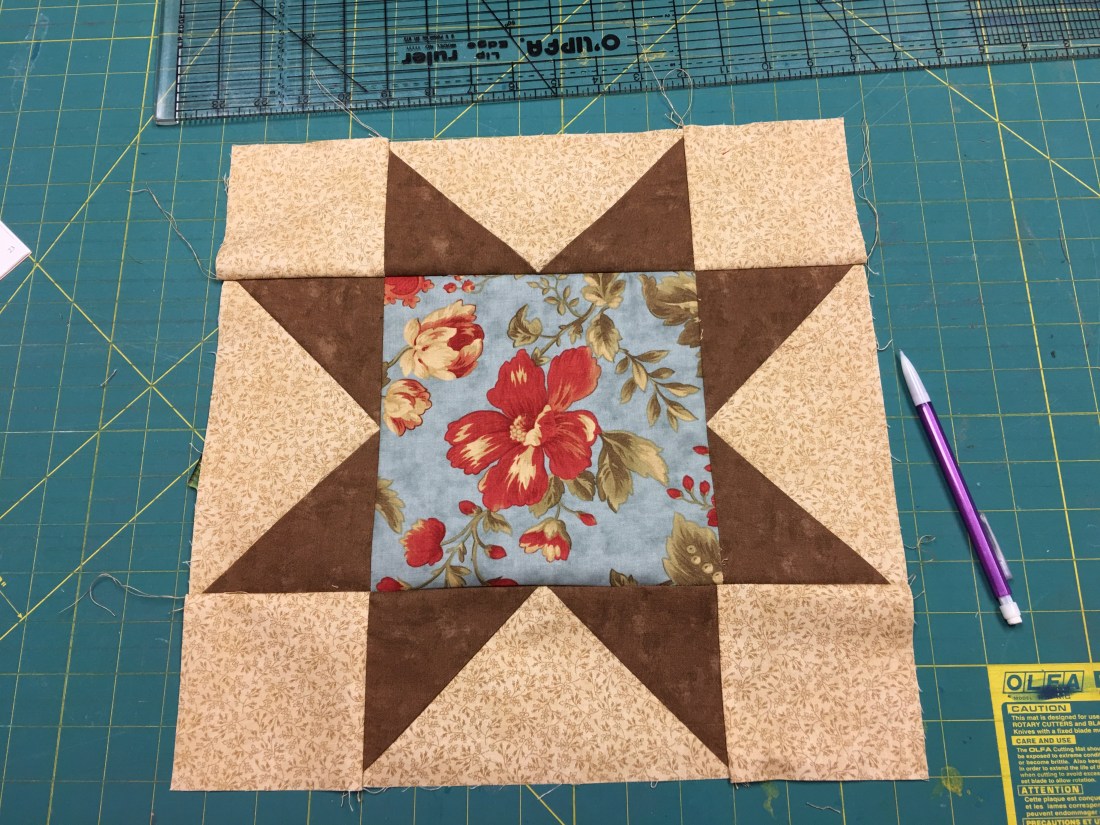
This is my first completed block! Photo by me.

Hello all! I am excited to share an update on my Independent Learning Project. For my project, I am sewing a quilt called,  At A Glance.  I am so excited to back into my crafty room and working a sewing project. It had been a while since I had the time to sit down at my sewing machine, so I was thrilled that I had a good reason to sew with this Independent Learning Project in Digital Literacy.

Today, I decided to set a side the two hours for my project. Let me tell you, I needed it! I had a rough day at preschool and I was looking for some quiet, reflection time for myself. Many years ago, quilting was a great outlet for me as I  found it helpful to cut fabric and create with my hands and fabric. So, after preschool, I went downstairs and started on my project. I turned on my favorite radio station, My Bridge and listened to some great Christian music and felt a renewed sense of peace come over me.

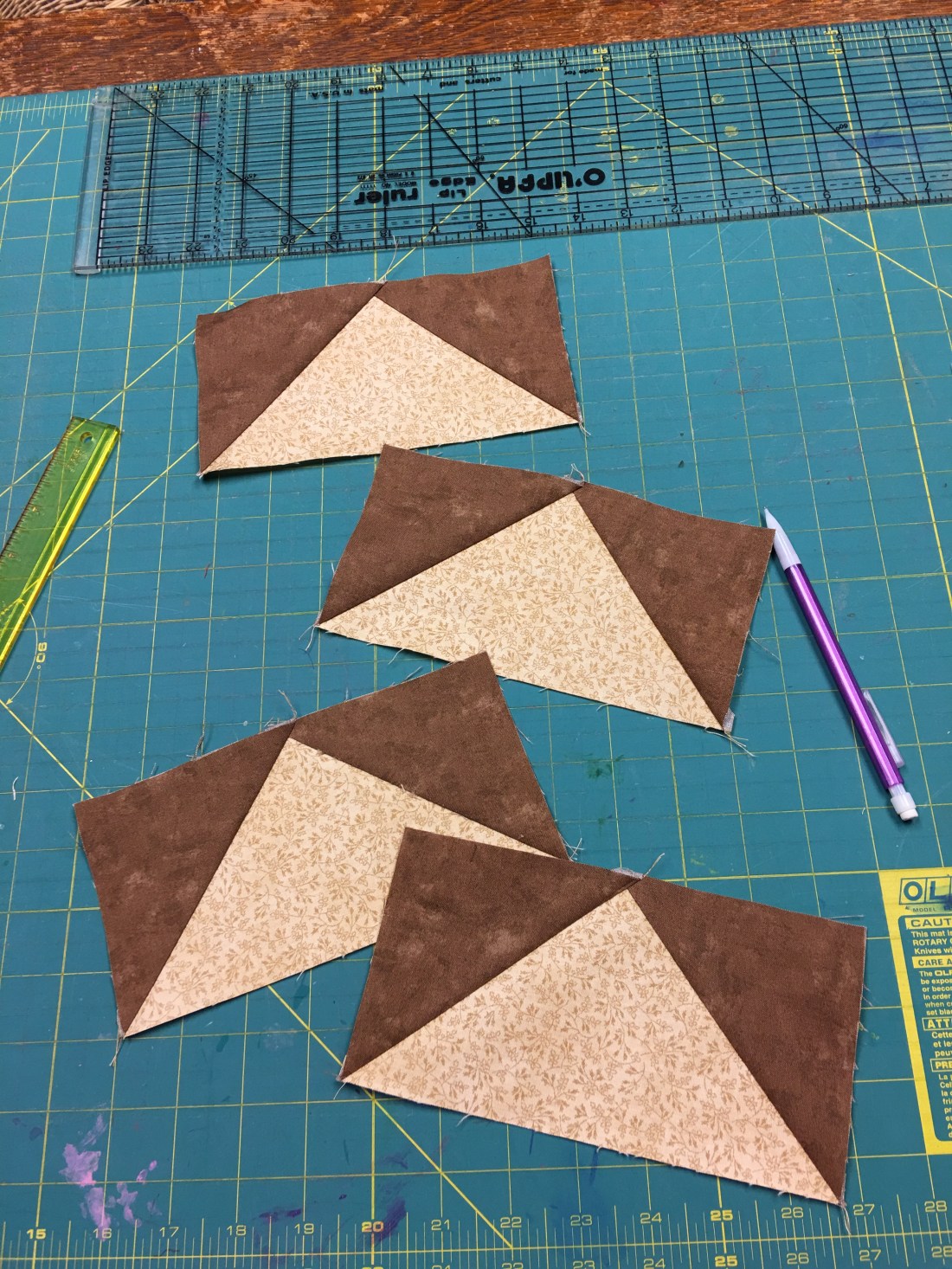
I was able to finish all of my cutting! Yippee!! I was beginning to worry that I picked a project that was going to be too big to finish!  I was even more thrilled that I was able to actually start sewing my fabric pieces together! Last week, I was concerned about sewing the flying geese blocks so my plan was to do a practice block before I  would sew the block for my quilt. I went ahead with my plan and made a practice block and I am glad that I did. It went together well, but it gave me more confidence to sew the real block. I was able to sew the first flying geese blocks without any troubles. The instructions for the pattern worked pretty slick as you draw a line on the backside of the fabric and sew on the line and then trim off the excess. It went like a charm!

IMG_9585

Here is a picture of my flying geese blocks. Photo by me.

I was more excited that I was able to sew the center block of my quilt. I choose a blue center square and then around this block are my flying geese. I am so very happy with the results and ready for the next steps of my pattern.  The first photo is a picture of my first complete block for this quilt.

I couldn’t believe how quickly time went, when I looked at the clock it was time to pick up my girls and start the after school routine. I was very thankful for this opportunity, as a great down time for me. Not only was I able to sew and think about this project but I was able to relax and reflect on my day at preschool.