
This week our assignment has us exploring the world of tech tools and the really cool stuff you can create all online using different creation tools. Some of these tools and programs included: Piktograph, Canva and cartoon and comic creations. I was blown away with all the free opportunities that are available to create some of these masterpieces.
I choose to use the program Canva for my graphic and visual design this week. While reading this article, Tech Review: Online Creation Tools Piktochart and Canva, there was an informational YouTube video that further explained in detail how to use Canva. I have attached this video to my post if you would like to watch it also. This video showed step by step how to use Canva, how to change up graphics, themes and showed some of the options that are available.
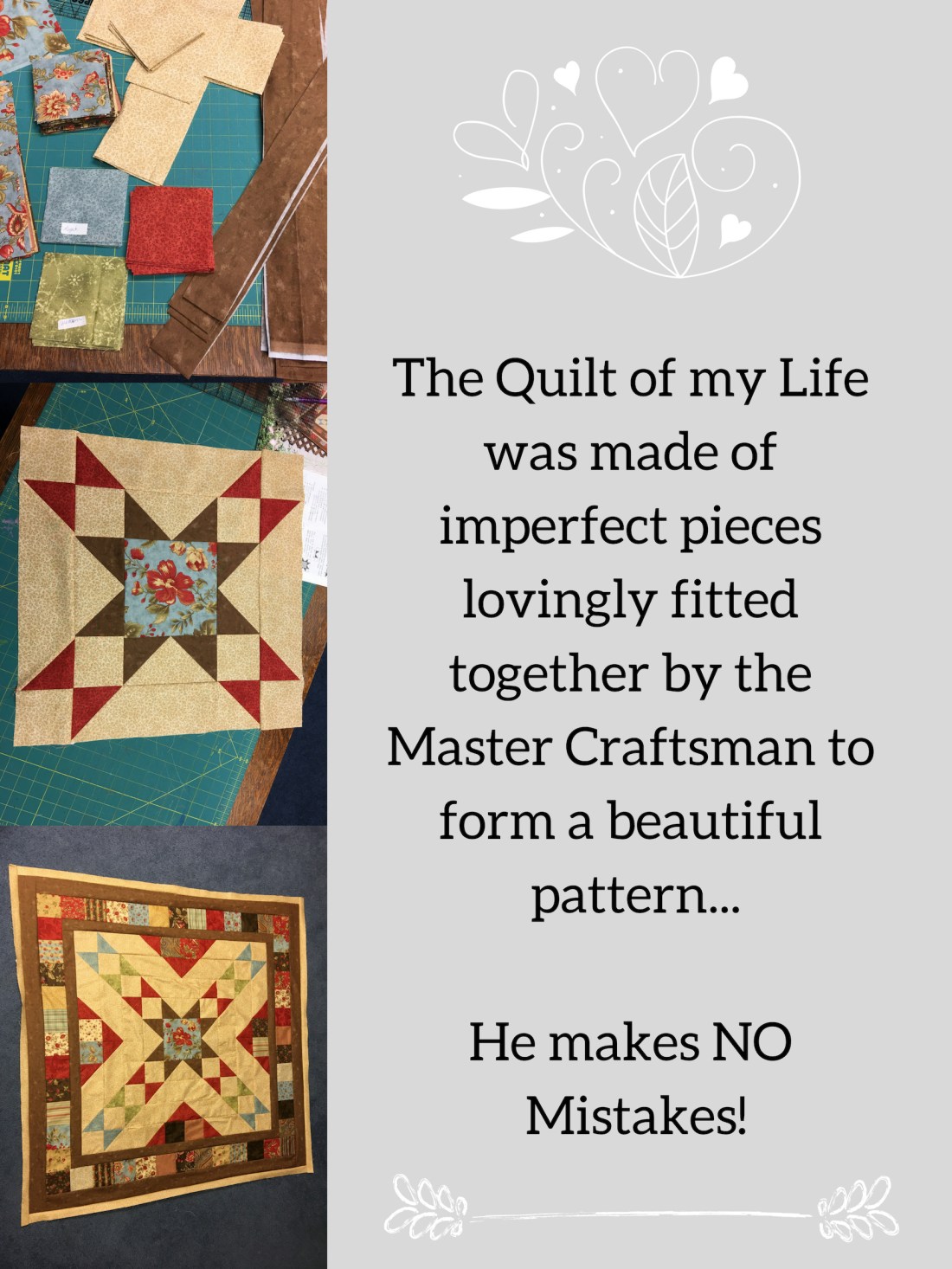
Here is my poster that I created with Canva.
I was not sure what to create as our assignment stated that we need to include our Independent Learning Project and share something that we have learned along the way with this journey. As you can see, my Independent Project is on quilting. I went to the templates and found this template that allowed for adding pictures. I thought that by including my pictures, you could see the progress of my project how I started out with yards of fabric that are cut according to the pattern. The second picture shows the middle of project and the third is my latest picture, however, it is not the finished quilt, but close. I then added this quote to poster. “The quilt of my life was made of of imperfect pieces lovingly fitted together by the Master Craftsman to form a beautiful pattern… He makes No mistakes.” I think that this is one quote that shares my life story, how we all have imperfect pieces and a past, but how God can take those pieces and make your story into something beautiful, just like a quilt.
I will definitely use Canva again in my future classroom to make posters and anchor charts! I love how easily the program worked and how you can be as creative as you want or you can keep it simple and to the point. I can also see how using comic strips and cartoons would be fun in the classroom as well. Students today would love to read something fun and entertaining and I think that comics and cartoons would also fit the ticket.
 JaimeBurkink
I love the Canva you created, Jaime! And I love the quote you choose for it! I used Piktograph but canva was very intriguing to me as well! I’m somewhat sad this semester is coming to an end as I really feel like I have learned a lot from this class!
LikeLike
Thanks Brittney for your comments! I was impressed how quick and easy it was to use Canva! I look forward to using this program again! Jaime
LikeLike
Aww, that’s so cute! I love what you were able to do with this tool! I also love that you were able to mix two different parts of this class with your ILP and this assignment, very clever. I saw some picture templates and thought they were adorable but I really didn’t have any pictures to put in them. I love the quote, I think this will be a lot of fun to use in the future!
LikeLike
Thanks Avery for your comments to my post. I really enjoyed how quick and easy it was to use Canva. It has been fun to see all of the neat creations our class has created using different types of tech tools! Jaime
LikeLike
Jaime,
I thought the amount of free tech tools are amazing. Being able to create so much different stuff with these free tech tools is such an advantage. We can create posters for our classroom that can be for our class expectations. I thought you did a great job with your poster on Canva. Your quilt looks really good!
LikeLike
Thanks Tate for your comments to my post! I was also amazed at all the available tech tools that are available for teachers and others to use and create neat stuff with! I know that I will use Canva to make posters for sure!! It will be so handy to use someday! Jaime
LikeLike
That’s a pretty poster! I use Canva in my classroom all the time. It’s a fun break from taking notes or worksheets. Anytime you can switch up teaching the better!
LikeLike
Thanks! I really enjoyed Canva and will keep on using it! It was pretty easy to use and I loved all the templates that were available! Jaime
LikeLike
This is really cool and I wonder if I could ever use anything like this in a math classroom.
LikeLike
Thanks William! I am sure that you would be able to use Canva for the math classroom. I was so impressed with all the different templates and options! Just check it out! Jaime
LikeLike